Website Conversion: 9 Quick Fixes That Lift Leads

Most local business websites don’t have a “traffic problem”, they have a website conversion problem. People land on your site, can’t instantly tell if you serve their area, can’t find the right service page, or hit friction when they try to call or request a quote. The result is the same: fewer leads than you should be getting from the same marketing spend.
The good news is you can often lift leads quickly without a redesign. Below are 9 practical fixes you can implement fast, especially for local service businesses in Norway or the US.
What “website conversion” means for local businesses
In ecommerce, conversion usually means a purchase. For local businesses, conversion is typically a lead action, such as:
- A call (mobile tap-to-call)
- A form submission (quote request, “contact us”, consultation)
- A booking request
- A direction request or map click (for walk-in businesses)
The goal is to remove uncertainty and reduce steps between “I might need this” and “I’ve contacted you”.
A 10-minute self-audit before you change anything
Do this quick check on your phone, not a desktop, because that’s where most local intent happens.
| Page element | Fast question to ask | Quick tool (optional) |
|---|---|---|
| Above-the-fold message | Do I know what you do, where you do it, and what to do next in 5 seconds? | None |
| Primary CTA | Is there one obvious action (call, book, quote) without scrolling? | None |
| Form | Can I submit in under 60 seconds with minimal fields? | None |
| Trust | Do I see reviews, photos, and proof you’re real before I’m asked to contact you? | None |
| Speed | Does the page “feel” instant on mobile data? | PageSpeed Insights |
| Tracking | Do you track calls and form submissions as conversions? | Google Tag Manager |
Once you know where friction is, the fixes below become straightforward.
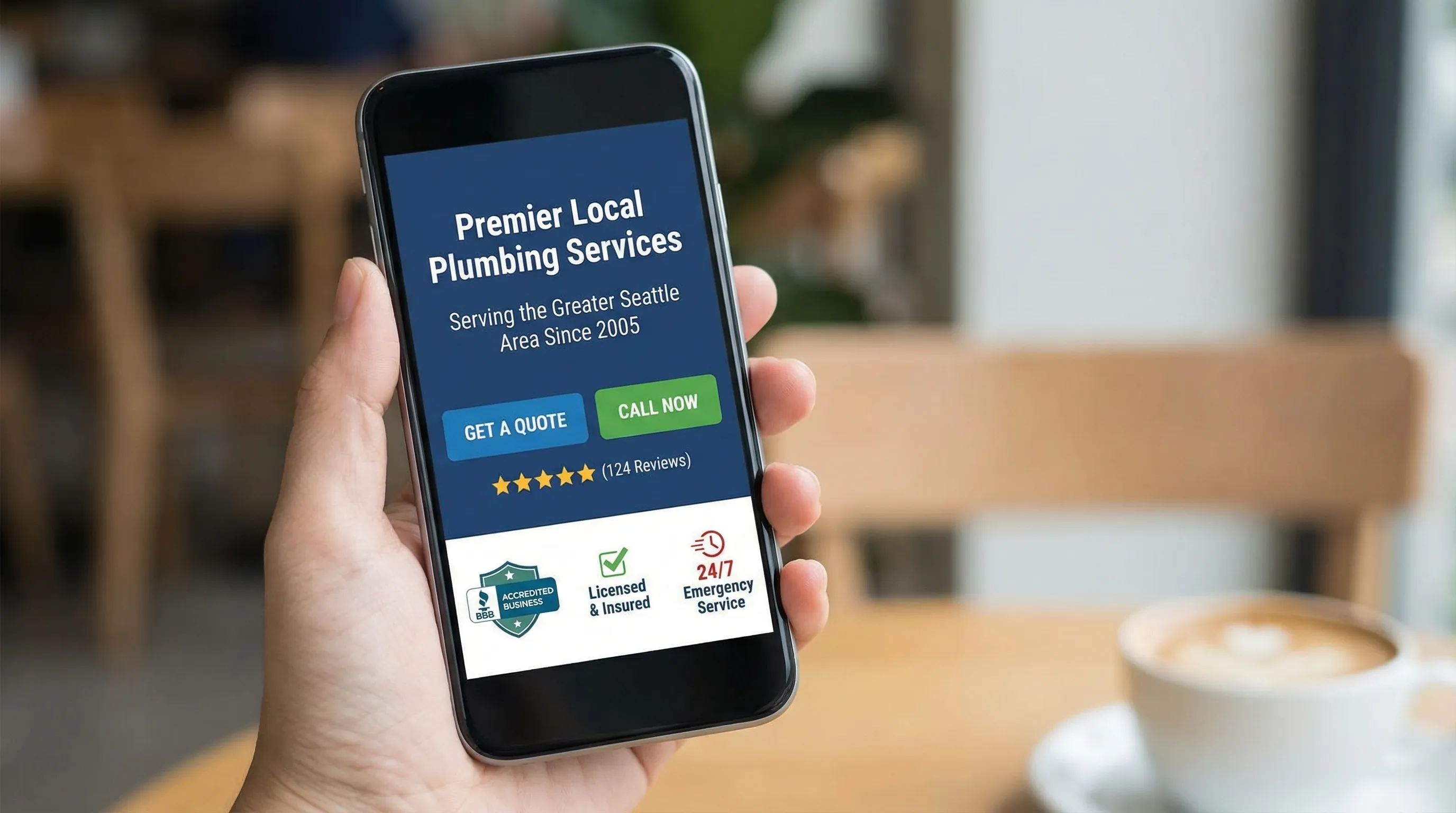
Fix #1: Rewrite your hero section to answer “What, who, where” instantly
Your hero section (what people see before scrolling) is the highest leverage area for website conversion. If it’s vague, everything downstream suffers.
A strong hero for a local business should clearly state:
- What you do (specific service, not just “solutions”)
- Who it’s for (homeowners, B2B, commercial, etc.)
- Where you serve (city, region, radius)
- What to do next (one primary CTA)
Example pattern that consistently performs well:
Headline: “Emergency Plumber in Bergen (24/7 Response)”
Support line: “Upfront pricing, licensed technicians, average arrival time 45 to 90 minutes.”
Primary CTA: “Call Now” or “Request a Quote”
If you operate across Norway and the US, make sure the copy matches the visitor’s context. Even small details like currency, phone formatting, and spelling (e.g., “booking” vs “appointment”) reduce cognitive friction.
Fix #2: Reduce choice to one primary CTA per page
Many local sites unintentionally create “decision paralysis” by giving three equal buttons: “Contact”, “Learn More”, “Services”, “Get a Quote”. When everything is emphasized, nothing is.
Pick one primary conversion goal for each page:
- Homepage: “Get a quote” or “Book a call”
- Service page: “Request a quote for this service”
- Contact page: “Call” and “Send message”
Then make the primary CTA visually dominant, and demote secondary actions to normal links.
A simple rule: if your CTA is not the most visually obvious element on screen, it’s not a CTA, it’s decoration.
Fix #3: Make calling effortless on mobile (and measurable)
For many local businesses, calls are the highest intent leads. Treat calls like a first-class conversion.
Practical changes that lift leads quickly:
- Add a tap-to-call button that stays visible (especially on service pages)
- Show business hours near the call button (reduces “are they open?” hesitation)
- Put your service area next to contact options (reduces “do they serve me?” hesitation)
- If you use multiple locations, route calls by location page, not a single generic number
Just as important: track calls properly. In Google Ads and Google Analytics, you want calls to appear as conversions, not “invisible wins”. Google provides guidance on call conversion tracking here: Set up call conversions.
Fix #4: Cut your form fields in half (and keep labels)
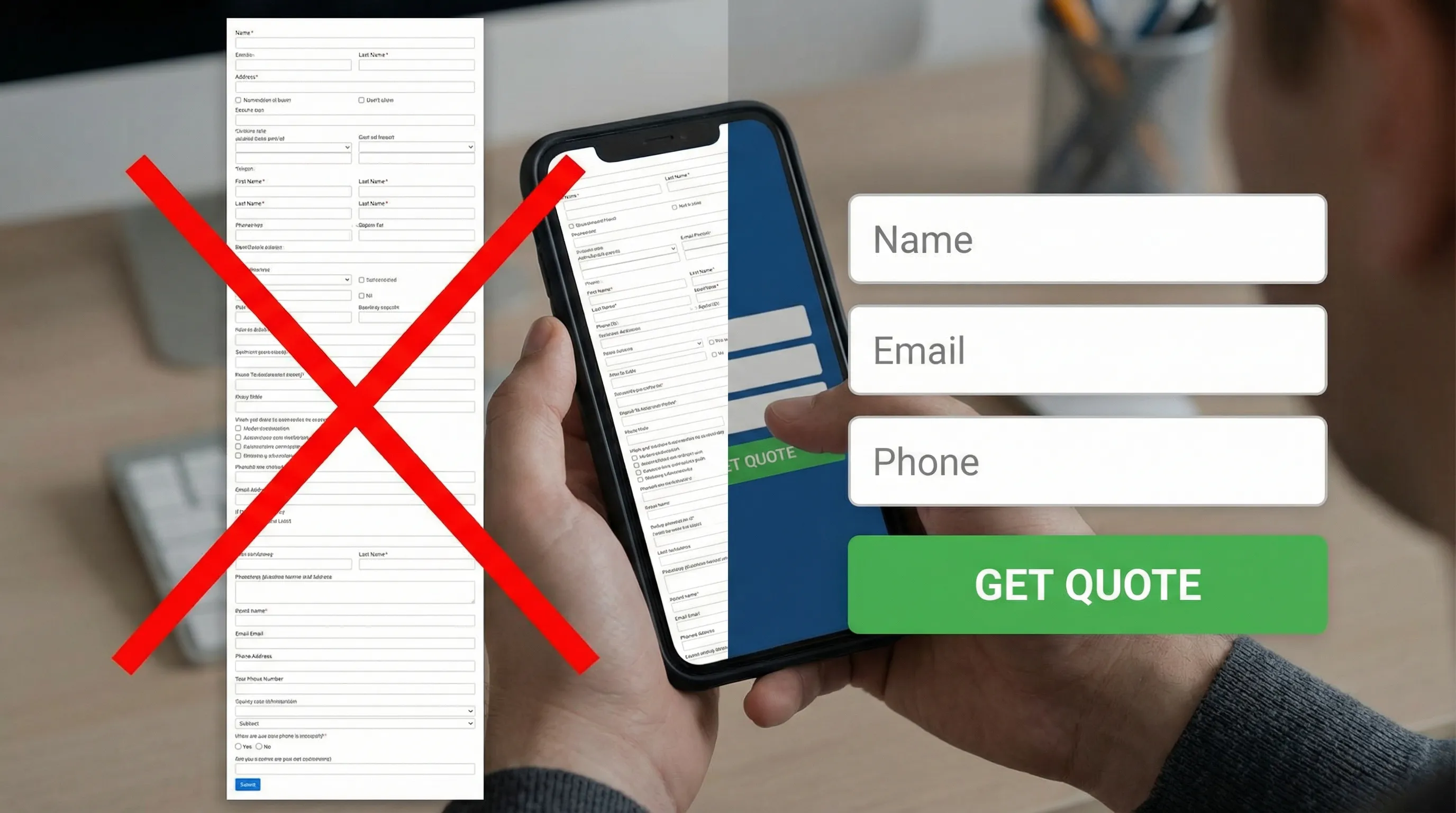
Long forms kill website conversion, especially on mobile. You usually do not need 10 fields to start a conversation.
For most quote forms, the fastest high-performing structure is:
- Name
- Phone or email (ideally phone for urgent services)
- What they need help with (short message)
Everything else can be collected after first contact.
Also, do not rely on placeholders as labels. When the user starts typing, the placeholder disappears and people forget what the field was for. Nielsen Norman Group has repeatedly documented form usability issues like this, including why placeholders are a poor substitute for labels: Placeholders in form fields are harmful.
If you change only one thing today, shorten the form and keep clear labels.
Fix #5: Add “proof blocks” above the form, not below it
Visitors don’t fill out forms when they still have doubts. Add proof before you ask for the commitment.
High-impact trust elements for local businesses include:
- Review rating and count (Google, Facebook, industry platforms)
- Before/after photos or project photos
- Certifications, memberships, and licenses (only real ones)
- A short guarantee statement (only what you genuinely offer)
- Real team or owner photo (stock photos reduce trust)
Place these trust signals near the CTA and near the form. If the form is at the bottom of the page, add a trust section immediately above it.
If you serve Norway, local trust cues can be especially persuasive (local place names, local case photos, recognizable industry affiliations). In the US, the same principle applies with local landmarks, neighborhoods, and service radius clarity.
Fix #6: Improve page speed where it actually affects leads
Speed is not just an SEO metric, it’s a conversion metric. When pages feel slow, visitors bounce before they even understand your offer.
Start with the pages that drive the most lead intent:
- Homepage
- Top service pages
- Contact or booking page
Use PageSpeed Insights to identify obvious issues. You do not need a perfect score, you need a fast, stable experience on mobile.
Common quick wins that often move the needle:
- Compress oversized images (especially hero images)
- Remove heavy sliders and autoplay videos on mobile
- Reduce unnecessary tracking scripts and plugins
- Ensure font loading is not blocking the page
Google’s Core Web Vitals documentation is a solid reference for what “good” looks like: Core Web Vitals.
Fix #7: Build one dedicated page per core service (not one “Services” page)
If your site has one generic “Services” page listing everything, you are making it harder for search visitors to convert.
A dedicated service page converts better because it can match a specific intent:
- “Roof repair in Trondheim”
- “B2B IT support for small businesses”
- “Kitchen remodel contractor near me”
Each core service page should include:
- A clear service description (what’s included, what’s not)
- A short “who it’s for” section
- Local proof (recent projects, reviews mentioning the service)
- A CTA that matches the service (“Get a quote for roof repair”)
This is both a website conversion play and an SEO play, because it aligns your content with what people actually search.
Fix #8: Make your next step “low risk” with micro-commitments
Some visitors are not ready to request a quote, but they are willing to take a smaller step. Micro-commitments increase total lead volume by capturing “not yet” prospects.
Examples that work well for local businesses:
- “Get a ballpark estimate” (with clear expectations)
- “Check availability”
- “Request a callback”
- “Send photos for a quick assessment” (common for trades and repairs)
The key is to keep the micro-step genuinely easy and fast. If it becomes another long form, you lose the benefit.
Fix #9: Set up clean conversion tracking and tighten follow-up time
You cannot systematically improve website conversion if you don’t measure conversions correctly.
At minimum, track:
- Form submissions (with a thank-you page or an event)
- Phone clicks (tap-to-call)
- Booking completions (if you use scheduling)
Google Analytics and Google Tag Manager are common ways to do this, but the tooling matters less than having clean, reliable data.
Then focus on the hidden conversion killer: slow follow-up. Many local leads go cold fast. If you reduce response time, your “conversion rate” from lead to customer often jumps without changing the website at all.
A simple operational standard helps:
- Calls: answer or return within minutes during business hours
- Forms: confirm receipt immediately and follow up same day
If you run Google Ads, make sure the conversions you track are the actions you actually value (qualified calls, real form submissions), not vanity metrics like page views.
Which fixes should you prioritize first?
If you want a simple plan, use impact vs effort. Start with the items that are high impact and low effort.
| Fix | Effort | Typical impact on leads |
|---|---|---|
| Clear hero message + one primary CTA | Low | High |
| Shorter form with labels | Low | High |
| Trust blocks near CTA/form | Low | Medium to High |
| Tap-to-call + call tracking | Low to Medium | Medium to High |
| Speed improvements on top pages | Medium | Medium to High |
| Dedicated service pages | Medium | Medium to High |
| Micro-commitment CTA | Medium | Medium |
| Clean conversion tracking | Medium | High (because it enables optimization) |
You do not need to do all nine at once. Two or three well-executed fixes can meaningfully lift lead flow.
Want a conversion-focused website without committing upfront?
If you’re a local business and your current site is outdated, slow, or simply not producing leads, the fastest “fix” is often a better foundation.
Kvitberg Marketing builds pre-built, professional, SEO-optimized websites for local businesses completely free, with no commitment upfront. You submit an inquiry, receive a fully finished site, then decide after a short walkthrough meeting whether you want to buy it.
If you want to pair the site with growth, Kvitberg can also support optional visibility services like SEO campaigns and Google Search Ads management. Learn more at Kvitberg Marketing.